
Why Does AI-Generated Code Fail, and How Can I Verify a Fix?
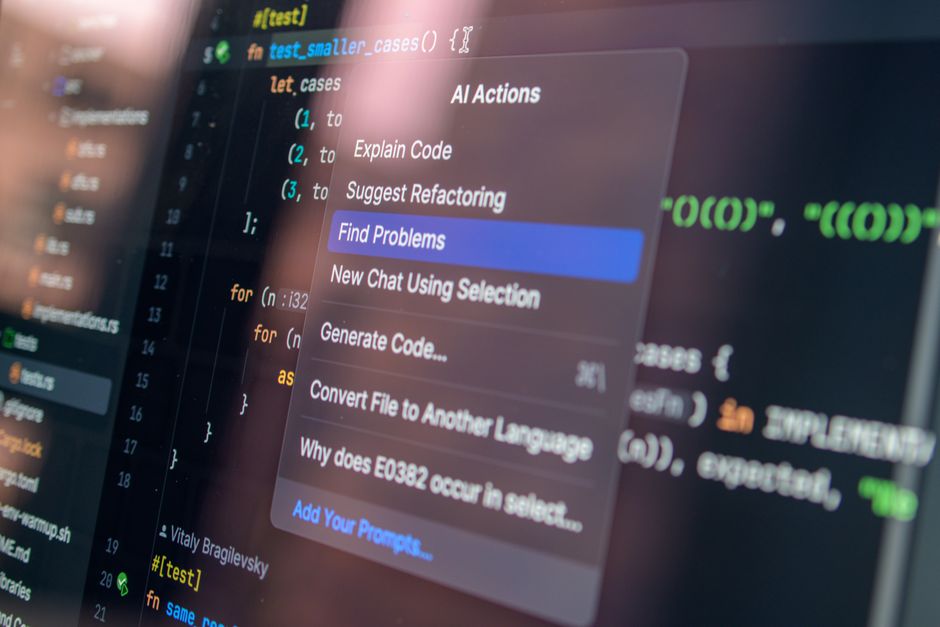
AI-generated code can look plausible yet fail because the tool works from the context it can see, may misunderstand requirements, or may produce logic and API calls that do not fit the project. Give it the relevant files and exact failure, then reproduce, isolate, test, and review the change—including for regressions—before accepting it.
Why does AI-generated code look correct but fail when I run it?
AI-generated code can look correct because plausible syntax is not the same as code that fits your project or satisfies its behavior. A patch can compile and still misunderstand the task, use an unavailable API, mishandle an edge case, or change behavior elsewhere.
GitHub’s guidance on reviewing AI-generated code calls out hallucinated APIs, ignored constraints, incorrect logic, and tests that are deleted or skipped instead of fixed. It recommends checking compilation, test results, warnings, and whether the change fits both the task’s intent and the project architecture.
Passing tests is evidence, not a verdict. The UTBoost study reported 36 SWE-bench task instances with insufficient tests and identified 345 erroneous patches labeled as passing. Another empirical study found that some patches counted as correct failed developer-written tests, while some plausible patches behaved differently from human-written solutions. These findings concern benchmark tasks; the practical lesson is narrower and useful: verify the specific behavior you need, not only the green checkmark.
Use a short failure brief before asking for a fix:
- Expected: State the behavior in one sentence.
- Actual: Describe what happens instead.
- Reproduce: Give the smallest steps or input that trigger it.
- Evidence: Paste the complete relevant error or failing test output.
Then ask for diagnosis before edits: “Explain the likely cause and identify the smallest relevant files. Do not change code yet.” This separates understanding the failure from proposing a patch.
How do I give an AI coding tool enough context to debug a bug?
Give the tool the goal, constraints, relevant files, and concrete failure evidence; context should be selective, not a dump of the entire repository. GitHub’s prompt engineering guidance explains that Copilot uses available context, including the current file and conversation history, and recommends stating the overall goal before specific requirements. Examples of inputs, outputs, or implementations can clarify the request.
For an IDE-based request, open the files involved in the behavior, close unrelated ones, and highlight the relevant function or attach repository context where supported. Then state constraints the model might otherwise miss: language or framework version, public interfaces that must remain stable, expected error handling, and tests that must continue to pass.
Compare a vague prompt with a usable one:
- Vague: “Fix this function; it’s broken.”
- Useful: “When an empty list is passed to
summarize, the endpoint returns a server error. It should return an empty result. Reproduce the issue, inspect the handler and its tests, preserve the response shape, and propose a focused fix. Show the test you would add before editing.”
Break broad requests into one behavior at a time. Ask for the cause, a proposed test, and then a minimal patch. If the first answer relies on a file or API that is not in the supplied context, correct the context before asking for another implementation. More prompt volume does not repair a missing requirement.
What tests should I run before accepting an AI-generated code change?
Run the focused test for the changed behavior, the relevant broader test suite, and the project’s static analysis or build checks before accepting the patch. GitHub’s review guide says to run automated tests and static analysis first, then examine compilation, test outcomes, and new warnings or errors.
- Reproduce the original failure. Keep the failing input or steps available so you can confirm the fix addresses the same bug.
- Add or identify a regression test. The test should fail on the old behavior and pass on the intended behavior. Include a boundary case when the bug depends on empty, invalid, or unusually shaped input.
- Run focused checks. Execute the smallest relevant test first, then the broader tests that cover affected components. Run the normal build, type checks, or static analysis used by the project.
- Review the diff. Check every changed line for task fit, architecture, unintended edits, new dependencies, and tests removed, weakened, or skipped.
- Verify behavior after the patch. Repeat the original reproduction steps and confirm both the intended result and nearby behavior that should remain unchanged.
The benchmark research reinforces why targeted tests matter. UTBoost found that additional test coverage exposed erroneous patches, while the SWE-Bench+ analysis reported suspicious passed patches associated with weak test cases. These are findings about benchmark evaluation, not a prediction that every AI fix is wrong. They do show why a test suite that never checks the reported failure cannot settle whether the patch fixed it.
When a patch still seems plausible but the intended behavior is unclear, compare concrete inputs and outputs with the requirement. Ask the tool to explain each changed branch and map it to a test. If multiple rounds keep producing larger patches without a failing test turning green, pause. A human-led rewrite may be more efficient when the fix is no longer localized or the code’s intended design is unclear.
For your next change, write down the expected result, capture the failure, add one regression test, and review the diff before merging. That sequence turns an AI suggestion into a change you can actually verify.
Frequently Asked Questions
How can I tell whether an AI fix introduced a regression?
Run the tests for the changed behavior and the broader relevant suite, then compare what the code does before and after the patch. Review the diff for unrelated changes, weakened tests, and side effects in nearby code. A passing suite is useful evidence, but it does not prove the fix matches the intended behavior.
Is it faster to debug AI-written code or rewrite it myself?
It depends on whether the failure is localized and the code is understandable. A small, reproducible defect with a clear test is usually a good candidate for a focused fix. If repeated patches add complexity or miss the same requirement, stop and compare the cost of one clean rewrite against another round of prompting.
Sources
- GitHub Docs — Prompt engineering for GitHub Copilot
- GitHub Docs — Review AI-generated code
- Association for Computational Linguistics — UTBoost: Rigorous Evaluation of Coding Agents on SWE-Bench
- Wang, Pradel, and Liu — Are “Solved Issues” in SWE-bench Really Solved Correctly? An Empirical Study
- Aleithan et al. — SWE-Bench+: Enhanced Coding Benchmark for LLMs
You may also like
Does My Source Code Leave My Computer When I Use an AI Coding Assistant?
Learn what AI coding assistants transmit, retain, or use for training—and the settings and safeguards to check before connecting private code.
How Do I Check an AI-Generated Website for Accessibility Before Publishing?
A practical pre-publish review for AI-built websites: scan, test keyboard access, check contrast and alt text, and verify form labels.
Choose One AI Workflow. Avoid a Stack of Unused Subscriptions
A practical 30-day framework to choose one measurable AI workflow, count full costs, and avoid unused subscriptions.
When Should an AI Customer-Service Chatbot Answer, Gather Context, or Transfer Me?
A practical guide for small teams on when an AI support chatbot should answer, gather case details, or hand off to a person.